

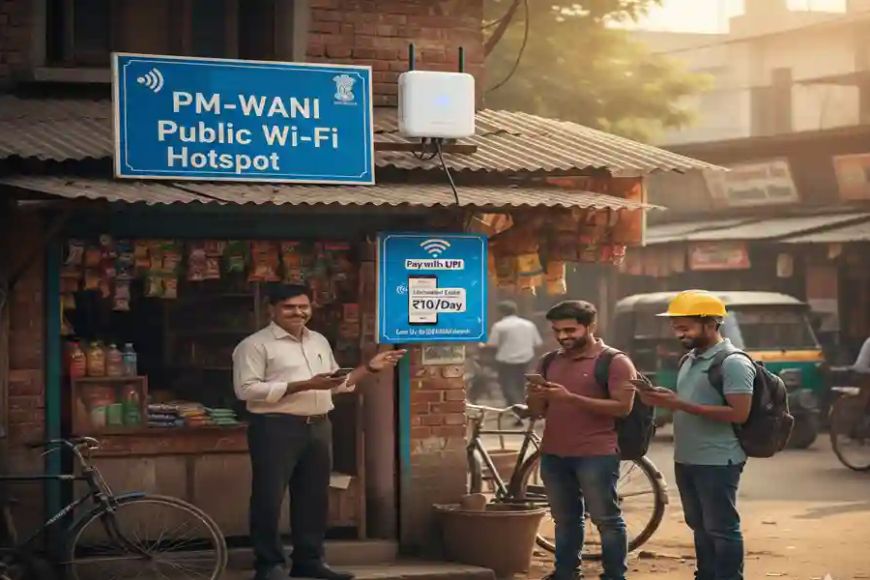
One of the best things about the PM-WANI (Prime Minister Wi-Fi Access Network Interface) scheme is that the government has removed all "Red Tape" for small providers. If you are a shop owner, you do not need a license and you do not need to pay any registration fees to the Department of Telecommunications (DoT).
However, you must follow a specific process to link your Wi-Fi to the national network so users can find and pay you.
Step 1: Get a Fixed-Line Broadband Connection
Before anything else, you need a "Backhaul" (an internet connection).
-
Source: You can use any ISP (Internet Service Provider) like BSNL, Jio, Airtel, or a local cable provider.
-
Requirement: A stable Fiber (FTTH) connection is recommended for high speeds.
-
Update 2026: Recent TRAI guidelines mandate that ISPs must provide broadband to PDOs at rates not exceeding twice the consumer price for plans up to 200 Mbps.
Step 2: Choose and Contact a PDOA (Aggregator)
You cannot operate alone; you must partner with a PDOA (Public Data Office Aggregator). The PDOA provides the software that handles user logins, payments, and data logs.
-
How to find one: Visit the official
PM-WANI Central Registry -
Direct Approach: You can also contact certified companies like C-DOT, Inventum, or Nanovise directly.
-
Decision Point: Ask the PDOA about their revenue share (usually 90% to you) and if they provide the hardware (Access Point).
Step 3: Buy a PM-WANI Compliant Access Point
Not every router works. You need a PM-WANI Compliant Access Point (AP) that supports "Captive Portal" (the login page where users enter their mobile number).
Popular Hardware Options: | Model Type | Estimated Price | Best For | | :--- | :--- | :--- | | C-DOT Mini PDO | ₹3,000 - ₹5,000 | Small indoor shops, Cafes. | | Dual-Band Indoor AP | ₹6,000 - ₹8,000 | Larger shops, Coaching centers. | | High-Range Outdoor AP | ₹10,000 - ₹15,000 | Market squares, Bus stands (200m range). |
Step 4: Installation & Onboarding
Once you have the hardware:
-
Connect: Plug your ISP's ethernet cable into the PM-WANI Access Point.
-
Configuration: Your PDOA will remotely configure the router or provide you with a setup key.
-
Sync: Your hotspot will automatically sync with the Central Registry. Within minutes, your shop will appear on all PM-WANI mobile apps (like C-WANI or udayaWANI).
Step 5: Start Selling Data Sachets
You don't need to sell physical coupons.
-
Users see your Wi-Fi on their phone.
-
They select a plan (e.g., ₹5 for 1GB).
-
They pay via UPI (Paytm, PhonePe, Google Pay).
-
The money is collected by the PDOA and settled into your bank account weekly or monthly.
Technical Checklist for Maximum Speed
-
Placement: Mount outdoor antennas at least 12 feet high to avoid signal blockage by vehicles.


💬 Comments (0)
Leave a Comment